The forum for VARC Townhome residents
Using VARC-Online
There are several key features included in VARC-Online that make using the website very user-friendly. Please take a few minutes to acquaint yourself with these tools:
Top Menu Tools:
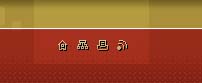
1. Click on this icon to return to the Home page.
2. Click here to view the SiteMap, which is a listing on each of the pages of the website. This can be used to make searching for content quick and easy.
3. Click here to Print the webpage.
4. Click here to subscribe to the RSS Feed. An RSS Feed gives automatic updates to website changes (i.e. new articles, events, photos); these changes are sent to your email or default Internet server's Bookmarks folder. This is an important tool that because it allows you to stay abreast of changes without having to join the website, submit your personal information, or constantly check back to the website to manually check for updates.
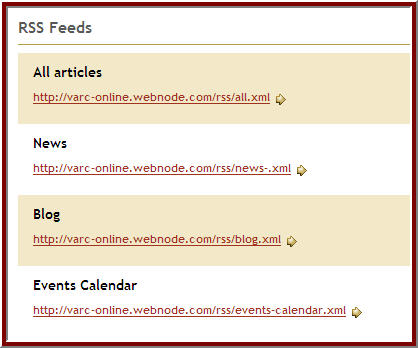
Scroll to the bottom of the page to decide which specific sections of the website you want to receive updates.
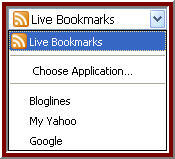
When clicking on a link, you will see this message prompting you to subscribe to the RSS Feed. (You will see this pop-up mesage only if using Mozilla Firefox; the process for signing up for RSS Feeds varies depending on your web browser's settings).
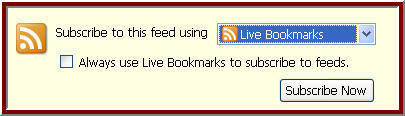
Click on the dropdown menu to determine where you want to receive website updates.
For more information on RSS Feeds, click here: https://www.whatisrss.com/. If you have any difficulty subscribing to the RSS Feed, please send an email on the Feedback page.
Main Website Links:
Use these links to access the major sections of the website.

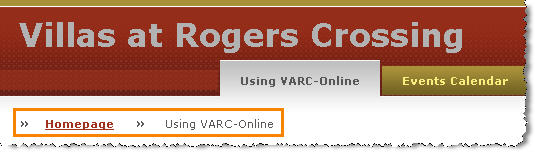
While using the site, these links will appear at the top of the page and can be used to navigate throughout the site.
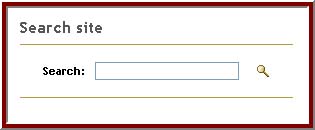
Search:
Enter your search terms to find specific articles, events, photos, forum topics, or other items.
Contact:
To send comments, questions, news ideas, events, and photos, use this email link. Remember, comments can also be sent using the Feedback page.